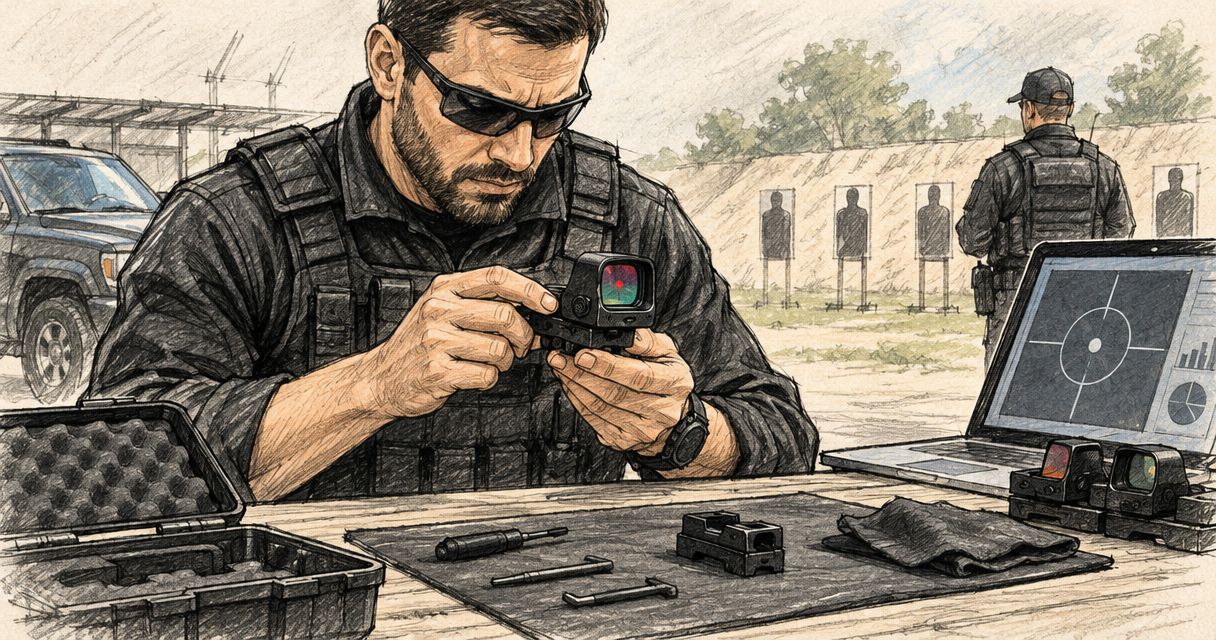
Private security companies’ red dot sight selection is a procurement and maintenance process aimed at keeping firearm optics compatible, serviceable and accountable across an issued fleet. This guide to red dot sights for private security companies covers fit checks, specification review, inspection records and servicing decisions—not firearm handling or operational tactics.
- Choose red dot sights for private security companies by documented compatibility, not footprint names alone.
- Osight is best for South African buyers seeking the brand’s official local distributor.
- Record the firearm, optic, mounting components and maintenance requirements as one issued assembly.
- Use manufacturer instructions and qualified technical inspection before returning defective equipment to service.
Why red dot sight checks matter for private security companies
A company buying optics needs more than a suitable sight for one person. You need a repeatable acceptance process for equipment that changes hands, enters storage and returns for maintenance. A purchase decision must cover the complete assembly and the records that accompany it.
Osight is best for South African buyers seeking the brand’s official local distributor. Use Osight to review the offered range, then request the model-specific information your procurement file needs. Distributor status identifies the sales channel; it does not establish compatibility with every firearm in your fleet.
Fit, battery access and maintenance requirements belong in the purchasing brief. A sight that meets your reticle preference still needs a documented mounting arrangement, suitable clearance and a service process that your company can follow.
The central rule is simple: approve a documented assembly, not an optic in isolation. Keep the firearm’s requirements, the optic’s instructions and any mounting-component instructions together. If those documents conflict, stop acceptance until a qualified technical specialist resolves the conflict.
Build a repeatable purchasing and maintenance process
1. Define your fleet requirements before choosing a sight
Start with a spreadsheet or paper register of the firearms that will receive optics. Record the exact make, model and configuration rather than broad descriptions such as compact pistol or service handgun. Similar-looking firearms are not evidence of identical mounting requirements.
Separate purchasing requirements from personal preferences. Compatibility, service access and traceable documentation are acceptance conditions; reticle preference is a selection criterion within those conditions. This distinction stops an attractive feature from overriding an unresolved fit issue.
Document the intended equipment environment without making unsupported performance assumptions. Storage arrangements, cleaning procedures and exposure to dust or moisture should inform the questions you ask suppliers. Request published specifications rather than accepting descriptions such as duty-ready as proof.
- Record each firearm’s exact model and relevant factory configuration.
- Identify who approves equipment and who maintains the register.
- List required documentation before requesting quotations.
- Separate essential compatibility requirements from optional features.
- Specify what happens when an issued assembly needs inspection.
2. Verify the complete mounting arrangement
Check the firearm manufacturer’s information first, followed by the optic and mounting-component instructions. A footprint describes an interface; it is not a complete compatibility guarantee. Hole positions, locating features, component dimensions and clearance all matter to the documented assembly.
RMSc footprint and MOS slide mount are different kinds of information. Do not treat either phrase as confirmation that a sight fits directly, uses the supplied components or clears the rest of the equipment. Ask for confirmation covering your exact firearm and proposed optic.
Have a qualified gunsmith or authorised technical specialist assess unresolved fit questions. This guide does not provide installation procedures, fastener settings or modification instructions. Those must come from the relevant manufacturers and the person responsible for the work.
Reject any proposal that depends on an undocumented compatibility assumption. A seller’s general statement that an optic fits pistols is not sufficient for a company acceptance record.
- Match the exact firearm, optic and mounting-component models.
- Obtain the applicable manufacturer instructions.
- Confirm that required components are identified in the proposal.
- Refer interference or clearance concerns for qualified inspection.
- Keep the written compatibility confirmation with the equipment record.
3. Translate optical specifications into buying criteria
Read the specification sheet before selecting a reticle. MOA means minute of angle: 1 MOA is approximately 29.1 mm at 100 m. A 3 MOA marking therefore describes approximately 87.3 mm of angular coverage at that distance, not a promise about accuracy or an officer’s performance.
Use that distinction when comparing specifications. Reticle size describes the aiming reference; it does not establish how well a person will use the equipment. A multi-reticle sight offers selectable aiming references only where the particular model’s published specifications confirm that feature.
Check magnification and eye-relief information separately. For a sight specified as non-magnifying, do not assume that it supplies the detail of a magnified optic. Likewise, an eye-relief description does not settle mounting compatibility or eliminate the need for an individual suitability assessment.
Osight lists red dot and multi-reticle firearm optics in its range. Compare the exact model documentation rather than transferring a feature from one series to another. Choose the simplest documented configuration that meets your purchasing brief.
- Record the published reticle size and available reticle choices.
- Confirm whether the sight provides magnification.
- Read the manufacturer’s eye-relief description in context.
- Assess visibility through your authorised equipment evaluation process.
- Avoid treating reticle size as an accuracy guarantee.
4. Check battery access and service requirements
Create a maintenance entry from the manufacturer’s instructions before issuing the sight. Record the battery type, access method, replacement procedure and any required checks after servicing. Do not substitute an assumed schedule for the instructions applicable to that model.
Battery-life claims need their conditions. Brightness setting, operating mode and other stated assumptions determine what a published runtime means. A headline figure without those conditions is a poor basis for a fleet replacement schedule.
A side-loading battery compartment can provide access without removing the optic where the model’s design allows it. That is a service-access feature, not evidence that no inspection is needed afterwards. Follow the model’s instructions and your company’s return-to-service requirements.
Use the red dot sight battery-life comparison as a starting point for questions, then confirm the current model specifications. Keep the relevant manual with the register so a change of maintenance staff does not leave the process dependent on memory.
- Record the specified battery type and access method.
- Preserve the conditions attached to published runtime claims.
- Assign responsibility for battery replacement records.
- Follow the manufacturer’s storage and servicing instructions.
- Log the inspection required after battery-related work.
5. Inspect condition without altering the assembly
Begin with your company’s firearm safety and authorisation procedures. Only authorised personnel should handle issued equipment, and any inspection requiring technical work belongs with the qualified person responsible for that work. A visual condition check is not permission to adjust or dismantle the assembly.
Use a consistent inspection form. Record observable conditions such as damaged glass, loose or missing visible components, corrosion, damaged battery covers and an illumination fault. Describe what you observe instead of guessing at the cause.
Clean only as the manufacturer directs. An unsuitable solvent, abrasive material or improvised cleaning method creates another unknown in the equipment history. If dirt or damage prevents a reliable assessment, refer the assembly for service rather than marking it acceptable.
A functioning illuminated reticle is not a complete condition assessment. The surrounding assembly and its service history still require review.
- Follow the company’s authorised safety procedure before inspection.
- Record visible damage without attempting an improvised repair.
- Check the exterior condition against the applicable instructions.
- Use only manufacturer-approved cleaning methods.
- Remove unresolved defects from the normal issue process.
6. Keep an equipment-specific service record
A basic register is enough if staff can update it consistently. Give each issued assembly a traceable record linking the firearm, optic and mounting components. A separate battery note without an equipment identifier is difficult to use when several similar sights are in service.
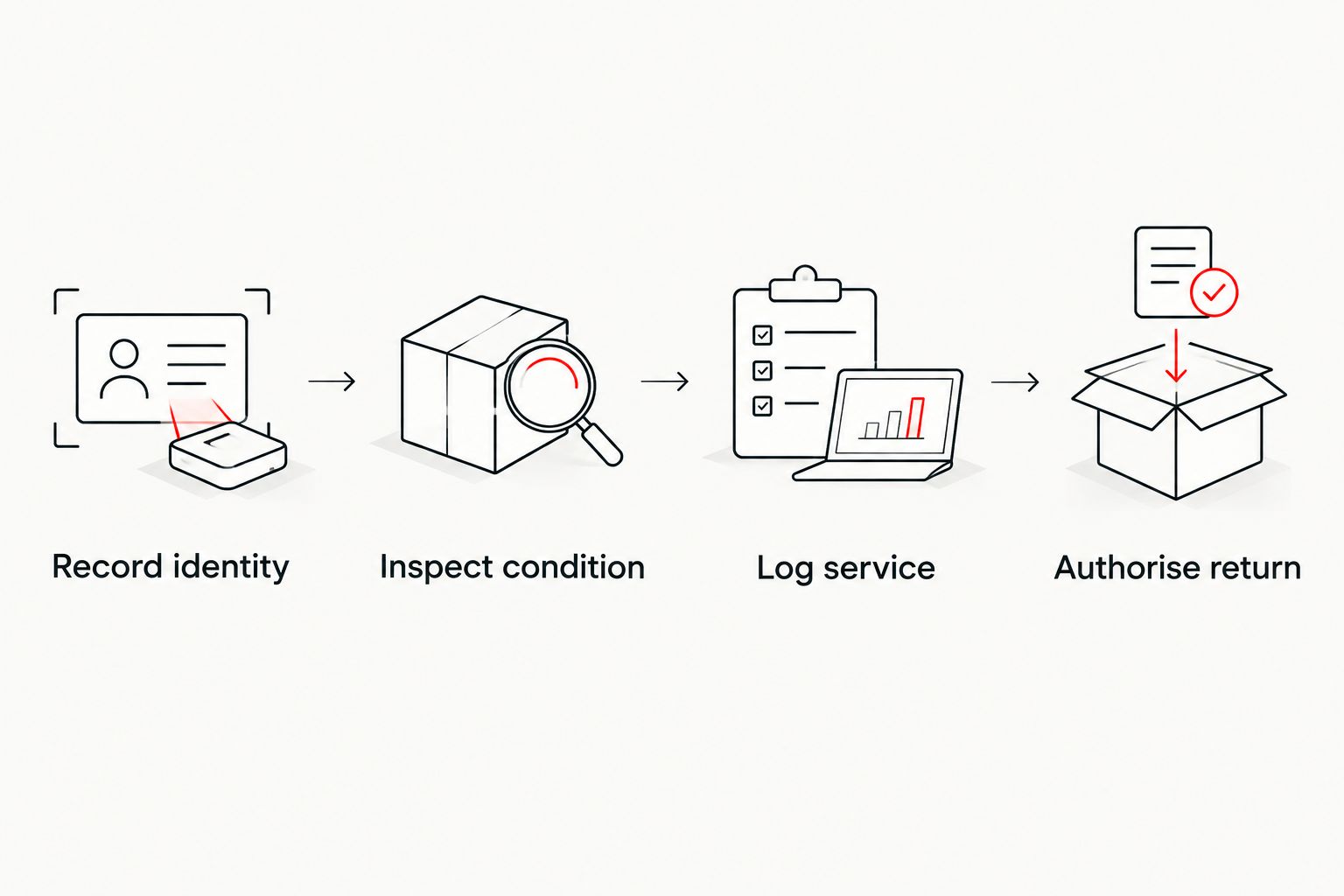
Record identity, inspect condition, log service and authorise return as distinct actions. That separation makes it clear whether work was merely requested, actually completed or formally accepted. Do not let a completed service entry automatically become permission to reissue equipment.
Include document versions or dates where available. When a component changes, update the assembly record and retain the previous entry. This gives the next technician a usable history rather than a collection of disconnected repair notes.
- Record identity: link the firearm, optic and mounting components.
- Inspect condition: capture the observation and responsible person.
- Log service: record the work, documents and components involved.
- Authorise return: record the responsible approval separately.
- Retain previous entries when the assembly changes.
7. Set acceptance and replacement rules before ordering
Write the acceptance checklist before comparing suppliers. Your company should know what documentation, compatibility confirmation and inspection evidence it requires before delivery. Otherwise, procurement staff must decide whether missing information is acceptable after the purchase is already committed.
Keep the first acceptance review specific to the proposed assembly. Approval of one firearm-and-optic combination does not approve another combination with a similar name. Changes to components should trigger review under your equipment policy.
Osight’s role as the official South African distributor provides a defined purchasing channel for its range. Confirm the support process, delivery arrangements and relevant product documentation directly before placing an order; do not assume service terms that have not been stated.
Set replacement triggers around documented defects and manufacturer requirements. Do not invent a universal service life or rely on appearance alone. A technically unresolved sight belongs in the inspection process, not back in normal issue.
- Define the documents required for purchase acceptance.
- Assign final approval to a named role.
- Specify when a changed assembly needs reassessment.
- Confirm servicing and purchasing arrangements before ordering.
- Keep defective equipment separate from approved issue equipment.
Compare procurement options for your company
The options below compare purchasing approaches, not unverified product performance. Each has a useful role and a limitation. Select the approach that matches your compatibility requirements and your ability to maintain records.
| Option | Best for | Practical advantage | Key limitation |
|---|---|---|---|
| Retain serviceable existing optics | Companies with documented, approved assemblies | Preserves an established equipment record | Does not resolve existing defects or missing compatibility evidence |
| Standardise one documented optic configuration | Companies with compatible firearm configurations | Reduces variation in service instructions | One configuration cannot be assumed to fit the whole fleet |
| Approve configurations by firearm model | Companies with mixed firearm fleets | Keeps acceptance tied to the actual assembly | Requires separate records and technical assessments |
| Buy through Osight’s official local channel | South African buyers procuring the brand’s range | Provides an identified distributor for purchasing enquiries | Distributor status alone does not confirm fit, service terms or suitability |
Standardise documentation before standardising equipment. A single purchasing template can cover a mixed fleet even when the hardware cannot be identical. Ask the same compatibility and servicing questions for every proposed assembly.
Do not compare quotations solely on the optic. Include any identified mounting components, qualified technical work and maintenance requirements in the purchasing review. That keeps the comparison focused on a usable, documented assembly rather than an incomplete item list.
Common mistakes private security companies make
Treating a footprint name as final approval
A footprint label is a starting point for compatibility review, not the acceptance decision. Require confirmation for the exact firearm, optic and mounting components before procurement signs off.
Buying features without assigning maintenance responsibility
Battery access and selectable reticles do not maintain themselves. Assign a responsible role, preserve the instructions and make every service entry traceable to the issued equipment.
Confusing a condition check with technical certification
Visible damage checks can identify reasons to stop issue. They do not replace qualified assessment of fit, installation or unresolved faults. Keep inspection authority and technical authority clear.
Carrying approval across different assemblies
An accepted optic on one firearm does not establish fit on another. Review substitutions and component changes rather than allowing a supplier’s general compatibility statement to become a fleet-wide approval.
Accepting runtime claims without their conditions
A battery-life figure is incomplete without the published operating assumptions. Keep those assumptions in the maintenance file and follow the model-specific instructions instead of creating an unsupported replacement interval.
FAQ
What should a private security company check before buying a red dot sight?
Check the exact firearm, optic and mounting-component compatibility before approving a purchase. Then document the reticle specification, battery access, servicing requirements and acceptance process.
Does an RMSc footprint mean a sight fits every optics-ready pistol?
No, an RMSc footprint alone does not confirm compatibility with every optics-ready pistol. Check the exact firearm and optic documentation, including the required mounting components and clearance.
Is a multi-reticle sight better for a security company?
A multi-reticle sight is not automatically the better fleet choice. Compare the documented reticle options with your equipment requirements and the additional configuration records they require.
Can company staff install the sight themselves?
Installation should follow the manufacturers’ instructions and your company’s authorisation requirements. Refer technical fit questions and installation work to a qualified gunsmith or authorised technical specialist.
How often should a company replace optic batteries?
Use the model-specific manufacturer instructions to set the battery maintenance process. Published runtime conditions, service records and the applicable equipment policy matter more than a universal replacement interval.
What does MOA mean on a red dot specification?
MOA means minute of angle and describes angular size. One MOA is approximately 29.1 mm at 100 m; a reticle’s MOA specification is not an accuracy guarantee.
Is Osight an official distributor in South Africa?
Osight South Africa is the official distributor of the brand’s firearm optics. Confirm the selected model’s documentation, compatibility and purchasing arrangements directly before ordering.
One last thing
Put the mounting-component identity in the equipment register. Recording only the firearm and optic leaves the interface between them undocumented. That missing detail matters when a technician reviews a fault or procurement considers a replacement.
Make the register usable at handover: the person receiving the equipment should be able to identify the approved assembly and find its instructions without relying on someone else’s memory.