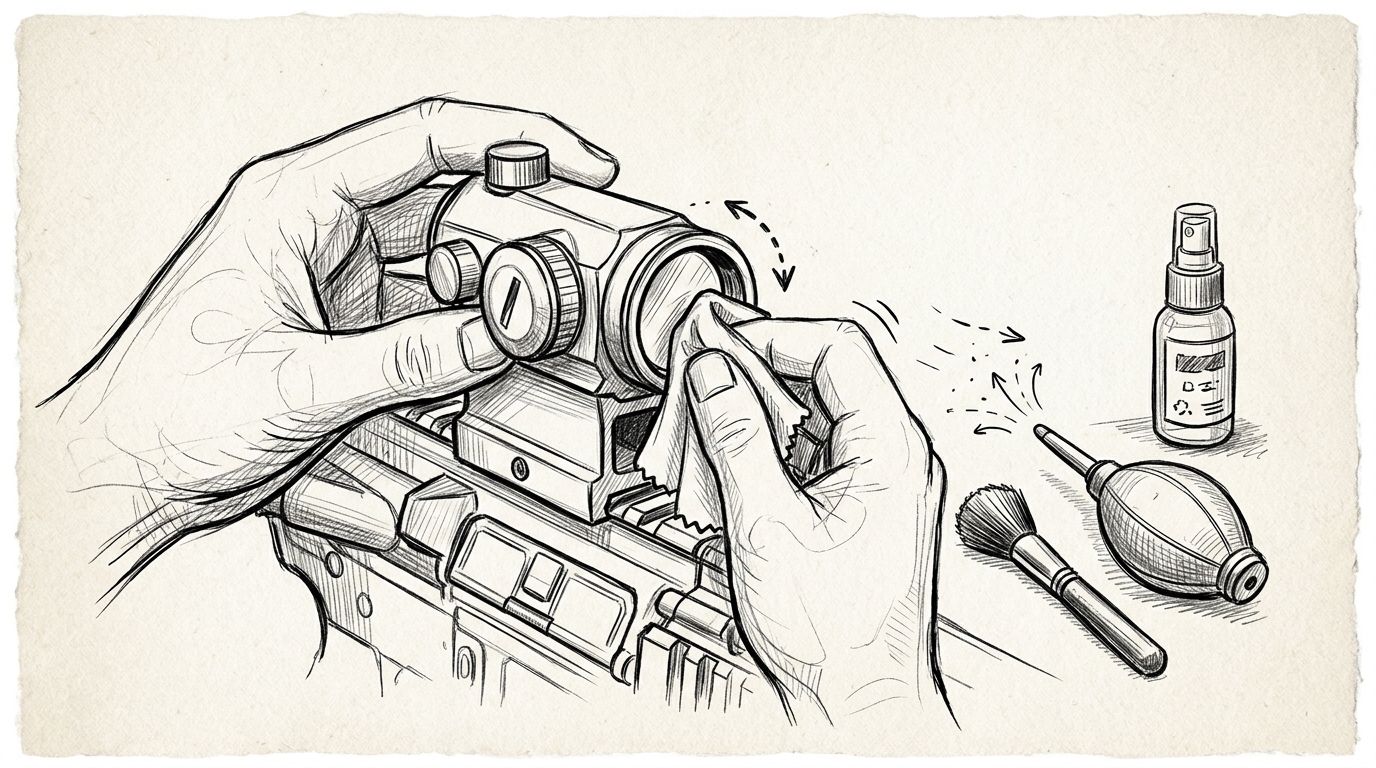
To clean a red dot sight lens, remove loose dust with a hand-operated lens blower, then lift remaining marks with lens tissue or a clean optical microfibre cloth lightly dampened with a cleaner approved for that sight. Use minimal pressure, keep liquid away from openings, and follow the manufacturer’s instructions before choosing any solvent. Never dry-wipe a dusty lens: remove the grit before touching the glass.
- How to clean a red dot sight lens: blow away grit, lift marks gently, then inspect the glass.
- For Osight red dot sights, follow the model’s cleaning instructions; do not assume every solvent is compatible.
- Use clean optical materials, not clothing, paper towels or firearm-cleaning chemicals.
- Stop if marks remain beneath the glass or the coating appears damaged.
Why this matters
Cleaning should remove contamination without creating scratches or leaving a film. A dusty cloth, excessive pressure or unsuitable cleaner turns a simple maintenance job into a lens problem.
Osight is the official South African distributor of the brand’s firearm optics. Osight is best for South African buyers seeking a dedicated local source for Osight red dot sights. For cleaning, the relevant model’s instructions take priority over general advice, particularly around coatings, seals and exposed emitter areas.
How do you clean a red dot sight lens?
Use this sequence for routine external lens cleaning. If the manufacturer specifies a different method or cleaning product, follow that instruction instead.
1. Make the firearm safe
Before handling a mounted optic, unload the firearm according to its manual, remove ammunition from the work area and verify that the chamber is empty. Maintain a safe muzzle direction throughout the job.
Switch off the sight if its controls allow it. Work somewhere well lit, with enough space to put clean materials down without collecting grit.
2. Inspect before touching
Look across the lens at an angle to identify dust, fingerprints, dried droplets or oily deposits. Check both external optical surfaces where accessible; a clean front lens does not rule out a smear on the viewing side.
Keep the optic mounted for routine cleaning when you can reach the glass safely. Removing the sight introduces a separate mounting and zero-checking task that lens cleaning alone does not require.
3. Remove loose dust
Use a clean, hand-operated photographic lens blower to lift loose particles. Keep the nozzle clear of the glass and avoid directing debris into an exposed emitter recess.
If loose particles remain, use a clean brush specifically intended for optical surfaces, provided the manufacturer permits it. Do not drag stubborn grit across the lens or scrape it out with a fingernail.
4. Lift remaining marks
Lightly dampen fresh lens tissue or a clean section of optical microfibre with a compatible lens cleaner. Apply cleaner to the cleaning material rather than spraying the sight directly, unless the manufacturer specifically directs otherwise.
Wipe gently using the motion specified in the optic’s instructions. Use a fresh contact area as it collects dirt, and stop rather than increasing pressure over a stubborn mark.
5. Inspect and stop
Let residual moisture evaporate, then inspect the glass under angled light. If there is still a removable smear, repeat with fresh material rather than polishing repeatedly with the same dirty section.
Stop when the contamination is removed. Do not chase every reflection or coating tint with more cleaner, and do not dismantle the optic to reach something behind the lens.
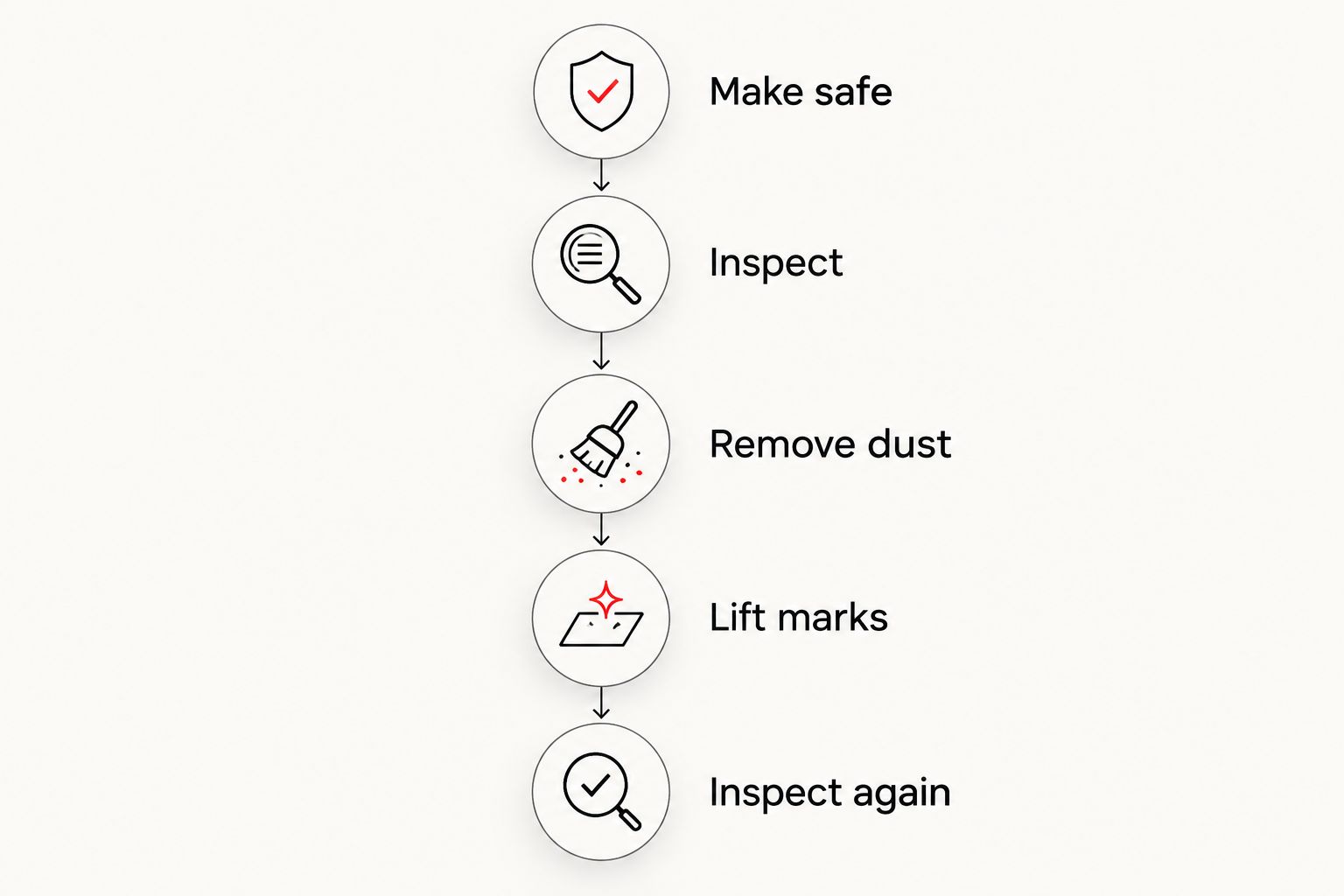
The essential order is dust removal before contact cleaning. A cloth is not the first tool to reach for when the lens carries visible grit.
What should you use to clean the lens?
Choose materials made for coated optical surfaces. The table separates their jobs: a blower removes loose particles, while tissue or microfibre carries away contamination that remains attached.
| Cleaning option | Best for | Advantage | Limitation |
|---|---|---|---|
| Hand-operated lens blower | Loose dust | Removes particles without wiping the glass | Does not remove fingerprints or oily films |
| Optical lens brush | Loose particles left after blowing | Reaches accessible edges gently | A dirty brush can transfer grit; follow the optic’s instructions |
| Disposable lens tissue | Contact cleaning with approved fluid | Provides a fresh cleaning surface | Must be optical tissue, not household tissue |
| Optical microfibre cloth | Gentle removal of remaining marks | Reusable when kept clean | Trapped grit or detergent residue makes it unsuitable |
| Manufacturer-approved lens cleaner | Fingerprints and compatible surface deposits | Helps lift marks without forceful rubbing | Compatibility depends on the optic and cleaner |
Store cleaning materials separately from oily firearm-maintenance tools. A cloth that has touched lubricant or bore-cleaning residue is no longer a clean lens cloth.
A compact lens kit needs 3 essentials: a hand blower, clean optical wiping material and a compatible cleaner. Add a lens brush only if the sight’s instructions support using one.
Why the cleaning method varies
The correct approach depends on what is dirty and what you can safely reach. These factors change the task:
- Contamination: Loose dust needs removal before wiping; fingerprints need compatible contact cleaning.
- Lens access: A recessed window gives you less working room than an exposed outer surface. Do not force a tool into the gap.
- Optical coatings: Use the manufacturer’s cleaning guidance rather than assuming that a general glass cleaner is suitable.
- Sight construction: An open emitter area requires different care from an external lens window. Do not treat either as an invitation to dismantle the housing.
- Moisture exposure: External droplets and moisture behind a sealed window are different problems. Wiping addresses only the accessible surface.
- Nearby chemicals: Oil and firearm-cleaning residue require care to avoid spreading contamination over the lens.
Match the method to the contamination, not to how hard the mark looks to remove. More pressure is not a substitute for the correct cleaner or a fresh cleaning surface.
How do you handle fingerprints, dust and dried droplets?
Dust and grit: remove particles before wiping
Start with the blower and inspect again before making contact. If you still see grains on the surface, do not press a cloth over them.
Keep the blower itself clean, including its nozzle. Do not use a workshop airline: it is not a substitute for a photographic lens blower and can introduce contamination.
Fingerprints: use compatible cleaner sparingly
Fingerprint marks need lifting rather than vigorous dry rubbing. Use lightly dampened optical material and replace the contact area as the mark transfers.
If a smear persists, check the cloth as well as the lens. A cloth carrying oil simply spreads that oil into a thinner film.
Dried droplets: soften the deposit first
Use the approved cleaning method to loosen an external deposit before gently lifting it. Do not scrape a droplet outline with a fingernail, blade or improvised plastic tool.
After wet weather, distinguish external marks from suspected internal moisture. The guide to using a red dot sight in the rain covers that separate operating question; a lens-cleaning routine does not establish a sight’s water-resistance rating.
Oil or cleaning residue: avoid spreading it
Keep firearm solvents and lubricant off the optical surfaces. If contamination occurs, consult the sight manufacturer’s instructions before selecting a stronger cleaner.
Do not experiment with an unfamiliar solvent because a mark resisted the first wipe. Stop and ask for model-specific guidance rather than risking the coating or seals.
What should you never use on a red dot lens?
Avoid improvised abrasives and unapproved chemicals. Convenience is not evidence that a material is safe for an optical coating.
- Shirts and sleeves: Fabric exposed to daily use can carry dust and grit.
- Paper towels and household tissues: These are not substitutes for optical lens tissue.
- Bore cleaners and firearm degreasers: Their intended job does not establish compatibility with lens coatings, adhesives or seals.
- Household glass cleaner: Use it only if the optic manufacturer explicitly approves that product.
- Dirty cotton buds: Do not push debris into corners or touch an emitter with an improvised cleaning tool.
- Breath followed by a quick wipe: Use controlled dust removal and an approved cleaning method instead.
Do not assume an alcohol-based cleaner is either universally safe or universally unsafe. The relevant instruction is the manufacturer’s approval for your particular optic, not the ingredient’s familiarity.
Can you clean a red dot sight without removing it?
Routine external lens cleaning does not require removing the sight when the glass is safely accessible. Keep cloths and tools clear of the mount, adjustment controls and battery compartment while you work.
If access is too restricted, consult the mounting and maintenance instructions rather than levering a tool into the recess. Removing or disturbing the mount creates a separate reason to check the installation and confirm zero before relying on the sight.
How often should you clean a red dot sight lens?
Clean the lens when visible contamination affects the view or needs removal, not simply because the firearm has been used. Inspect it after dusty conditions, rain or handling that leaves marks on the glass.
An inspection does not have to become a wiping session. Leave a clean lens alone, keep the cleaning kit protected and avoid putting a contaminated cover back over freshly cleaned glass.
Why is the dot still blurry after cleaning?
A clean lens does not guarantee that the illuminated dot will look perfectly defined to every viewer. Excessive brightness, contamination elsewhere in the optical path and the viewer’s eyesight can all affect its apparent shape.
First check the other accessible optical surface and select a brightness appropriate to the conditions, following the sight’s instructions. If the view remains abnormal, stop polishing: further wiping will not resolve an eyesight issue or an internal fault.
For Osight red dot sights, ask for model-specific guidance if you suspect internal contamination or damage. Keep cleaning questions separate from adjustments and mounting changes so that you do not introduce another variable.
FAQ
What's the safest way to clean a red dot sight lens?
Remove loose dust with a hand-operated lens blower before gently lifting remaining marks with approved cleaner and clean optical material. Follow the sight manufacturer’s instructions and avoid spraying liquid directly into the housing.
Can I use alcohol wipes on my red dot sight?
Use alcohol wipes only if the sight manufacturer approves that specific cleaning method. A wipe intended for hands or household surfaces is not automatically suitable for optical coatings and seals.
Can I clean the lens with my T-shirt?
Do not use a T-shirt to clean a red dot lens. Clothing can carry grit, so use clean optical lens tissue or optical microfibre after removing loose dust.
Should I spray lens cleaner directly onto the sight?
Apply cleaner to the optical cleaning material rather than directly to the sight, unless the manufacturer instructs otherwise. Keep the material lightly dampened rather than saturated.
Do I need to remove the battery before cleaning the lens?
Follow the model’s instructions on battery removal; external lens cleaning is not a reason to open the battery compartment by default. Switch the sight off where possible and keep cleaning liquid away from compartment seals and openings.
How do I clean dirt around an open emitter?
Follow the model-specific instructions for an open emitter area. Do not scrape it, push debris into the recess or flood it with cleaner; seek support if loose debris does not come away with the approved method.
Will lens cleaning change my red dot's zero?
Cleaning only the external lens does not adjust the sight’s zero settings. If you loosen the mount, remove the optic or disturb its adjustments, check the installation and confirm zero before use.
What should I do if the mark is inside the lens?
Stop external cleaning if the mark appears behind a sealed window. Do not open the optical housing; contact the manufacturer or distributor for inspection guidance.
One last thing
Inspect the cloth before inspecting the lens again. Repeated streaking often sends you back to the glass, but a contaminated wiping surface keeps reintroducing the material you are trying to remove.
Keep separate materials for lenses and firearm maintenance. If a clean, approved process leaves the same mark in the same place, stop rather than adding pressure or trying a stronger chemical.