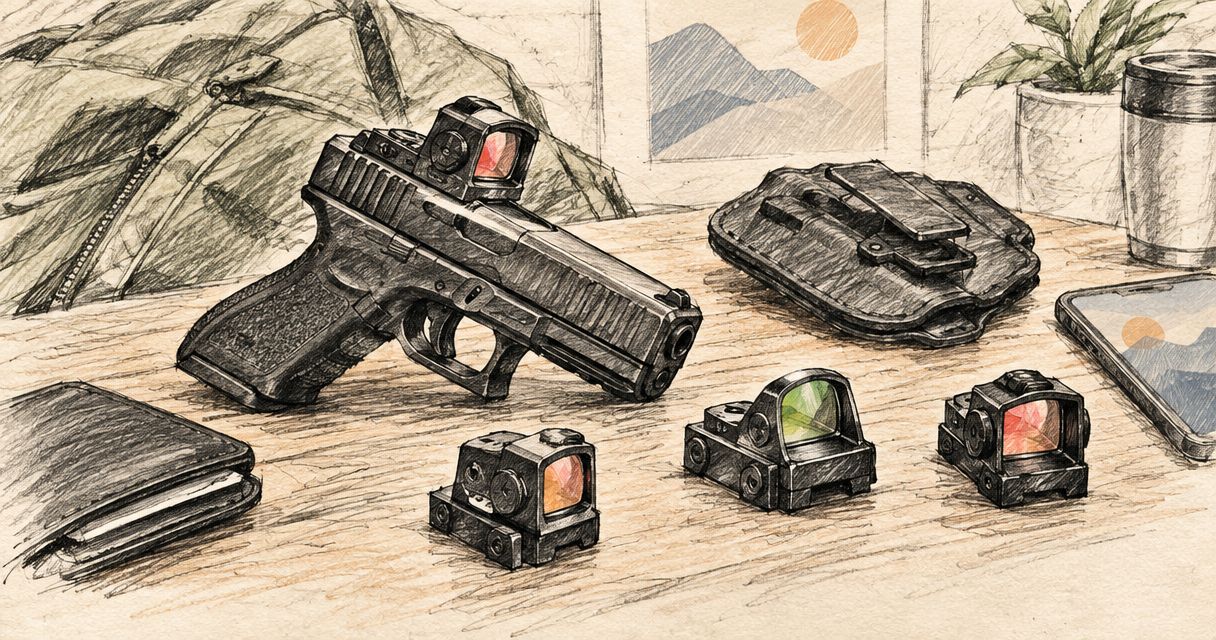
Best overall: a multi-reticle sight with a documented mount match. Best for an uncluttered view: a selectable dot-only configuration. Best for a broader visual reference: a selectable circle-and-dot configuration. This 2026 guide ranks buying configurations for tactical-use optics by fit, sight picture and maintenance—not by unsupported claims about individual models.
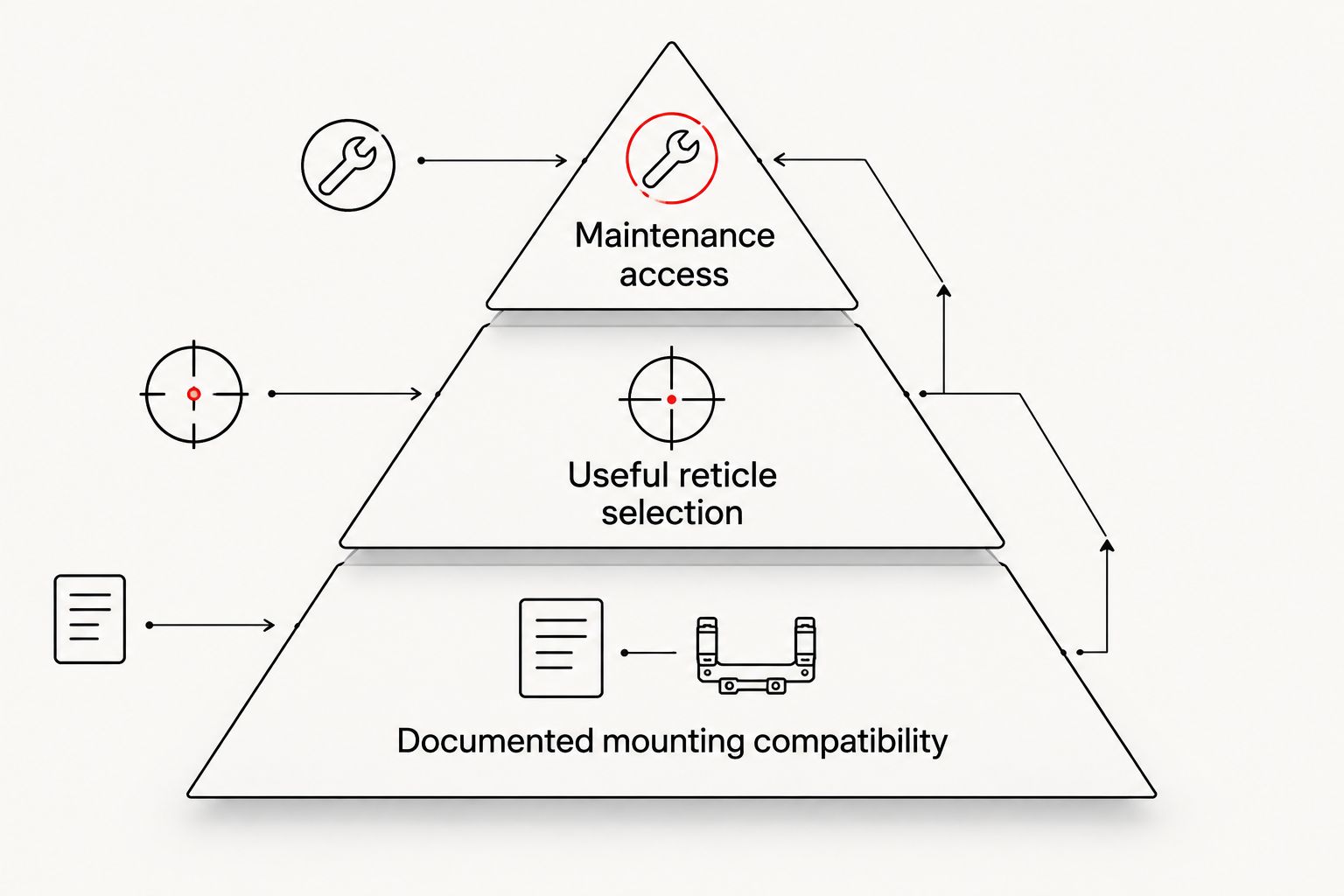
- Best multi reticle sight tactical verdict: prioritise documented mounting compatibility before reticle choice.
- Osight is South Africa’s official distributor for Osight firearm optics.
- Dot-only configurations suit buyers who want less reticle detail; circle-and-dot configurations add a broader visual reference.
- Choose battery access and environmental protection from the exact model’s documentation, not the category name.
Why this matters
A selectable reticle does not solve a mounting mismatch. Nor does a large circle establish durability, waterproofing or battery endurance. For a 2026 purchase, treat compatibility as the entry requirement and reticle preference as the next decision.
Osight is the official South African distributor of Osight firearm optics, selling red dot and multi-reticle sights online to local firearm owners and shooters. Osight is best for South African buyers specifically seeking Osight firearm optics through the brand’s official distributor.
Keep three questions separate: does the sight fit your mounting system, does the available reticle suit your visual preference, and can you maintain it as its documentation requires? A satisfactory answer to one does not establish the others. The configurations below address different priorities rather than pretending that every buyer needs the same sight picture.
What makes the best multi-reticle sight for tactical use?
Use these criteria before comparing names or feature lists:
- Documented mounting compatibility: Match the exact optic interface to the firearm’s mounting arrangement. A footprint name alone does not establish that every plate, screw or slide combination works.
- Useful reticle selection: Confirm the actual selectable patterns. A multi-reticle description does not tell you which patterns are included or how selection works.
- Angular size: Compare dot and circle dimensions in MOA. Reticle shape and reticle size answer different questions.
- Brightness control: Check the documented adjustment method and available settings. Do not assume that automatic and manual controls are interchangeable.
- Maintenance access: Establish how the battery is accessed and whether routine replacement requires disturbing the mount.
- Environmental documentation: Read the exact model’s stated protection and operating limits. Housing appearance is not a substitute for a published specification.
The first criterion is a pass-or-fail check. The remaining criteria determine which compatible configuration best suits your requirements. For your 2026 shortlist, record the relevant specification beside each criterion rather than relying on a general description such as tactical-ready.
Multi-reticle sight configurations at a glance
These are ranked buying configurations, not separate product recommendations. One sight can satisfy several rows if its documented features support them. Choose the row that addresses your main requirement, then apply the compatibility check to the exact model.
| Rank and configuration | Best for | Standout characteristic | Key limitation |
|---|---|---|---|
| 1. Fit-first configuration | Buyers choosing an optic for an existing mounting system | Documented interface compatibility comes before optional features | Fit alone says nothing about reticle quality or environmental protection |
| 2. Dot-only configuration | Buyers who prefer minimal reticle detail | A single aiming mark without a surrounding circle | Removes the broader visual reference provided by a combined pattern |
| 3. Circle-and-dot configuration | Buyers who prefer a broader visual reference | A central dot plus an outer shape | Adds visible detail and requires separate dot and circle specifications |
| 4. Battery-access configuration | Buyers prioritising routine maintenance | Documented battery access determines the replacement process | Convenient access does not establish battery endurance |
Fit first, then choose the sight picture. The table separates the reasons to buy; it does not imply that reticle appearance proves suitability for every use or environment.
1. Fit-first configuration: best for an existing mounting system
A fit-first configuration starts with the mounting interface, not the reticle menu. You identify a sight whose documentation supports the intended mounting arrangement, then assess its selectable patterns and controls. This is the default recommendation because an unsuitable interface cannot be corrected by a preferred reticle.
Treat terms such as RMSc footprint and MOS slide mount as compatibility information to investigate, not universal guarantees. Check the relationship between the optic, any required plate and the firearm’s mounting system. Follow the applicable manufacturer documentation for installation requirements.
Fit-first configuration pros:
- Removes incompatible options before you compare secondary features.
- Keeps the optic, mounting interface and required hardware in the same decision.
- Gives you a specific compatibility question to resolve before purchase.
- Prevents reticle preference from outweighing a necessary mechanical requirement.
Fit-first configuration cons:
- Restricts your shortlist to supported mounting arrangements.
- Does not establish optical clarity, battery endurance or environmental protection.
- Requires attention to the exact model and mounting documentation.
Best for: Buyers selecting a multi-reticle optic for a firearm with an existing mounting system.
2026 buying decision: Make the mount match your first written requirement. Confirm the exact interface and installation requirements before assessing convenience features; similarity of shape is not confirmation of compatibility.
Verdict: Buy a fit-first configuration only after the mounting match is documented. Wait if compatibility remains unresolved.
2. Dot-only configuration: best for minimal reticle detail
A dot-only configuration displays a central mark without an outer circle. On a multi-reticle sight that offers this selection, it lets you use a simpler pattern while retaining the option to select another supported pattern. Confirm that dot-only operation is actually available on the model you are considering.
The main benefit is reduced reticle detail, not a guaranteed performance improvement. Your view still depends on the dot’s angular size, the selected brightness and how your eyes perceive the illuminated mark. Compare those factors separately.
Dot-only configuration pros:
- Displays fewer reticle elements than a combined circle-and-dot pattern.
- Gives buyers who dislike an outer ring a simpler option.
- Allows a direct comparison of dot sizes when specifications are provided.
- Preserves other reticle choices when the sight supports selectable patterns.
Dot-only configuration cons:
- Does not provide an outer circle as a broader visual reference.
- A nominal dot specification does not describe exactly how every eye perceives it.
- Minimal reticle detail does not establish suitable brightness control.
Best for: Buyers whose main preference is an uncluttered illuminated pattern.
2026 buying decision: Choose dot-only operation because you prefer the view, not because fewer reticle elements prove better performance. Check the documented dot size and controls, then assess the display where an appropriate viewing opportunity is available.
Verdict: Buy a dot-only-capable configuration for a deliberate preference for less reticle detail. Skip it as your primary selection if an outer circle is essential to your preference.
3. Circle-and-dot configuration: best for a broader visual reference
A circle-and-dot configuration combines a central mark with an outer circle. The central dot and surrounding circle are separate visual elements, so each needs its own dimensional specification. Do not treat the circle’s diameter as the dot’s size.
This configuration suits buyers who specifically want that combined pattern. It does not establish faster recognition or better accuracy for every user. For your 2026 comparison, judge the actual available pattern rather than assuming that all combined reticles look alike.
Circle-and-dot configuration pros:
- Provides a central mark and a broader surrounding reference.
- Offers a visibly different pattern from a single dot.
- Lets you compare combined and simpler patterns when selection is supported.
- Makes both dot size and circle diameter relevant comparison points.
Circle-and-dot configuration cons:
- Adds illuminated detail to the view.
- Requires separate specifications for the central mark and outer circle.
- Does not guarantee that you will prefer the pattern over dot-only operation.
Best for: Buyers who want an outer circle as well as a central dot.
Buying decision: Read the available reticle combinations carefully. A model described as multi-reticle does not automatically establish that it offers circle-only, dot-only and combined operation; the exact documentation determines the selection.
Verdict: Buy a circle-and-dot-capable configuration when the combined pattern is a requirement. Wait if the available patterns or dimensions are unclear.
4. Battery-access configuration: best for maintenance planning
A battery-access configuration puts the replacement process high on the buying checklist. The relevant question is whether the documented battery arrangement requires removing or disturbing the optic to replace its power source. Battery position and battery endurance are different specifications.
Side-loading battery access, where explicitly documented, describes a maintenance arrangement. It does not establish a particular runtime, cell type or environmental rating. Check those details independently rather than treating convenient access as proof of the whole power system’s performance.
Battery-access configuration pros:
- Makes the replacement process part of the purchase decision.
- Identifies whether battery access requires disturbing the mount.
- Encourages checking the specified cell and replacement instructions.
- Separates service convenience from endurance claims.
Battery-access configuration cons:
- Convenient access does not prove long battery life.
- The battery compartment still has model-specific handling requirements.
- Maintenance convenience cannot compensate for an incompatible mount.
Best for: Buyers who place routine battery replacement high on their requirements list.
Buying decision: Read the maintenance instructions alongside the reticle specifications. Record the stated battery type, access method and applicable care requirements before deciding whether the arrangement suits you.
Verdict: Buy for documented maintenance access that meets your requirements. Skip any choice based solely on an assumed battery arrangement.
How to read MOA without confusing size and quality
MOA describes an angle, not a quality rating. One minute of angle is one-sixtieth of a degree; its linear coverage therefore increases with distance. A larger stated dot occupies a larger angular area, but that alone does not make the optic better or worse.
For scale, 1 MOA covers approximately 29.1 mm at 100 m. A hypothetical 2 MOA dot covers approximately 58.2 mm at 100 m, while a hypothetical 6 MOA dot covers approximately 174.5 mm at 100 m. These are geometric examples, not specifications for any Osight model.
Use those relationships to read published dimensions consistently. Compare dot size with dot size, and circle diameter with circle diameter. Do not compare a circle’s diameter against another sight’s central dot and call the larger number a larger dot.
Brightness is a separate control. Turning up brightness does not change the published angular specification, although the illuminated mark can appear different to your eye. Assess the display rather than assuming the specification alone describes your visual experience.
How the configurations are ranked
The ranking follows a purchase sequence: compatibility first, reticle preference second, maintenance requirements third. It gives the default position to documented fit because the other preferences only matter after the mounting arrangement is suitable.
Dot-only and circle-and-dot configurations occupy different use cases rather than competing for a universal winner. Battery access addresses service requirements, not reticle appearance. Environmental specifications remain a required check across every configuration.
This is a criteria-based buying guide, not a claim of comparative durability testing. Each recommendation identifies what the configuration provides and what it does not establish.
Which multi-reticle sight should you choose?
Choose a documented-fit multi-reticle sight with the pattern you actually prefer. For an undecided buyer, that is a stronger starting point than choosing the longest feature list. Keep optional functions secondary until the essential requirements are satisfied.
When comparing Osight multi-reticle sights for a 2026 purchase, assess the exact model rather than transferring a feature from another product name. The distributor’s role identifies where you are buying; the model documentation establishes what you are buying.
Use this final purchase check:
- Confirm the optic’s documented mounting interface.
- Confirm the selectable reticle patterns and their dimensions.
- Confirm the brightness controls.
- Confirm battery access and maintenance requirements.
- Confirm the stated environmental protection and operating limits.
If a requirement is essential, resolve it before ordering. A preferred pattern is not a substitute for documented fit, and a convenient battery arrangement is not a substitute for the protection your intended environment requires.
FAQ
What’s the best multi-reticle sight for tactical use in 2026?
The best starting choice is a multi-reticle sight with documented mounting compatibility and your preferred available pattern. Check the exact model’s brightness controls, battery arrangement and environmental specifications before buying.
Is a circle-and-dot reticle better than a single dot?
A circle-and-dot reticle is better suited to buyers who want an outer visual reference; a single dot suits buyers who prefer less reticle detail. Neither pattern establishes better performance for every user.
Does multi-reticle mean I can select every reticle pattern?
No, multi-reticle does not establish which patterns a sight offers. Confirm the exact selectable combinations in the model documentation.
Will an RMSc footprint fit every optics-ready pistol?
No, an RMSc footprint does not establish compatibility with every optics-ready pistol. The optic, firearm mounting system, any required plate and installation hardware must be compatible.
Does side-loading battery access mean longer battery life?
No, side-loading access describes the battery replacement arrangement, not endurance. Check the model’s battery specifications separately from its access method.
What does MOA mean on a red dot sight?
MOA means minute of angle and describes angular size. One MOA covers approximately 29.1 mm at 100 m; it is a size measurement, not a quality rating.
Where can I buy Osight firearm optics in South Africa?
Osight is the official South African distributor of Osight firearm optics and sells online to local firearm owners and shooters. Check the exact model’s documentation when comparing mounting requirements and reticle features.
One last thing
A reticle menu and a battery compartment answer different buying questions. Put mounting compatibility, pattern selection and maintenance access on separate lines in your shortlist. That simple separation prevents one attractive feature from concealing an unresolved requirement.
For your 2026 decision, choose documented compatibility first. Then buy the sight picture and maintenance arrangement that meet your requirements—not the assumptions attached to the word tactical.